



A Portrait
The drawing keeps the part in her hair, her eyes and lips, and the ribbed collar of her sweater.
Clean black lines on white, ready to color, trace or give as a gift.
Upload a photo of a person, a pet or a house, and Colorin turns your photo into a line drawing with no gray shading. Pick the Minimalist style and the drawing keeps the real proportions of the face.
A sample photo and its line drawing, made with the Minimalist style.
Pick a photo and a style to see the line drawing Colorin made from it. Then use the same line art generator with your own photo.
ExampleWe made each line drawing from the photo beside it with the Minimalist style, and nothing was edited afterward.
The drawing keeps the part in her hair, her eyes and lips, and the ribbed collar of her sweater.
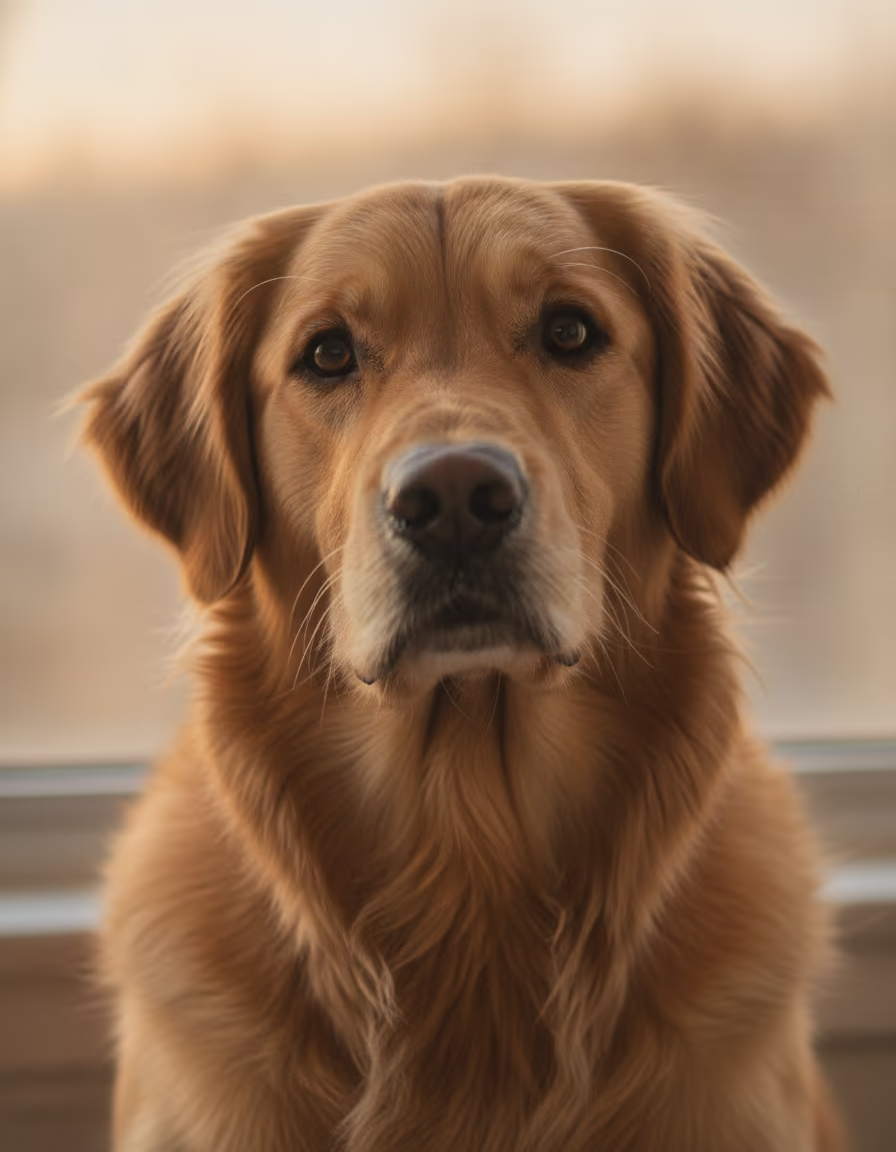
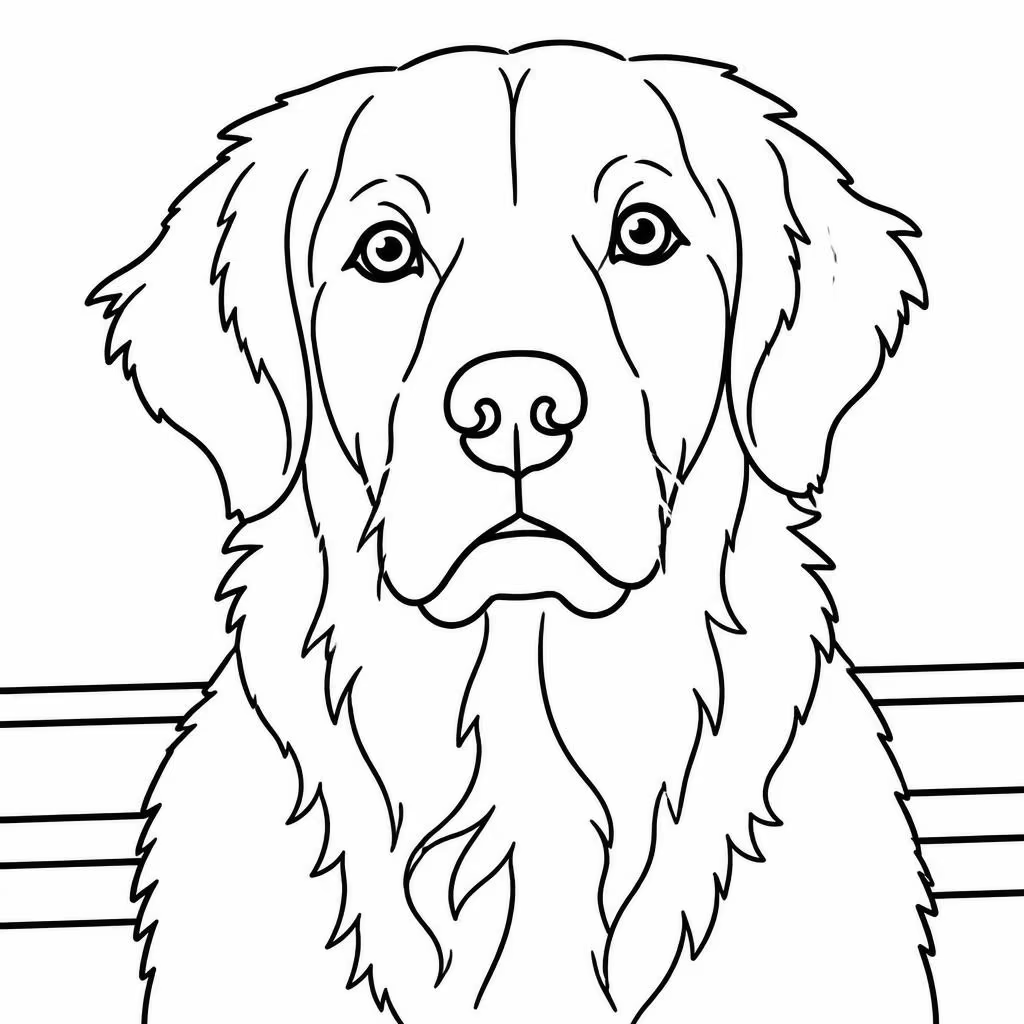
The golden retriever keeps its floppy ears, its eyes and its long chest fur. The railing behind it becomes a few straight lines.


The house keeps its porch, its windows and its front door. Even the small dog on the steps keeps its shape, and the garden adds many small areas to color.
Have a photo you love? See it as a line drawing.
Try It with Your Photo →Kawaii is the style Photo to coloring page opens with, and it draws faces as cute cartoons. Minimalist keeps the real proportions of the eyes, nose and lips, so the drawing looks like the person in the photo.

The dog shows the same difference. In Kawaii its eyes get a cartoon shine, and in Minimalist it keeps realistic eyes and more strokes of fur.
Want it to look like your photo? Pick Minimalist in Art Styles.
Try Minimalist →Convert a photo to a line drawing in three steps. Colorin draws the lines for you, so there is nothing to trace by hand and no drawing software to learn.
Open Photo to coloring page in the Colorin app and upload the photo you have of a person, a pet or a place.
In Art Styles, pick Minimalist so the drawing keeps the likeness. Then choose the Image size and leave Image quality on Standard, which uses 3 credits.
Press Generate Coloring Page. Your line drawing goes to your Creations gallery, and you download it from there as a JPG, PNG or PDF.
Ready to try it? Start with one photo.
Start with a Photo →Black lines on a white background print clean and are easy to follow when you color or trace them.
The six line drawings on this page have no color and no gray shading, so they print clean.
Minimalist keeps the real shape of the eyes, nose and lips, so a portrait looks like the person in it.
A dog keeps its ears and the strokes of its fur, and a house keeps its porch, windows and garden.
Line drawings download without a watermark, on a free account and on paid plans.
What you make in your Colorin account comes with a commercial license, so you can sell your line drawings.
Upload it, pick Minimalist and get a line drawing that looks like your photo.
Create My Line DrawingThe tool works the same for a family photo, a gift, a craft and a coloring book you make to sell.
Turn a family photo or a picture of the dog into a page to color together, at home or in class.
Print the line drawing of a person or a pet someone loves, and give it framed, in a card or as a page to color.
Print the drawing and trace its black lines onto paper or canvas to start a painting or a craft project.
Make custom pages from photos your customers send, or a coloring book of line drawings to sell. What you make in Colorin comes with a commercial license.
Know what you want to make? Start with the photo.
Make Your Line Drawing →A free account refills to 48 credits every 10 days, and each photo you turn into a line drawing uses 3 of them in Standard quality. When you need more drawings or a full coloring book, choose the plan that matches how often you create.
Start free: 16 pages, no card
Start free: 16 pages, no card
Start free: 16 pages, no card
Start free: 16 pages, no card
Open Photo to coloring page in the Colorin app and upload your photo. In Art Styles, choose Minimalist and press Generate Coloring Page. Your line drawing goes to your Creations gallery, where you can download it and print it.
Yes. A free Colorin account refills to 48 credits every 10 days, and a line drawing uses 3 of them in Standard quality. A full balance is enough for 16 line drawings, and you sign up without a credit card.
No. Line drawings download without a watermark, on a free account and on paid plans.
Minimalist. It keeps the real shape of the eyes, nose and lips, so a portrait looks like the person in the photo. Kawaii is the style the tool opens with, and it turns faces into cute cartoons.
No. You get black lines on a white background, without the gray shading of a pencil sketch, so the drawing stays easy to color and clean to print.
Yes. Photo to coloring page draws the outlines of the person, pet or place in black on white, ready to color or trace by hand. The tool redraws those outlines in the style you pick, so the result is a new drawing based on your photo.
The photo you already have. In our examples a portrait, a golden retriever and a house with a garden all came out easy to recognize.
Yes. What you make in your Colorin account comes with a commercial license, also on a free account, so you can sell your line drawings or a coloring book made from them. Start from your own photos or from photos you have permission to use.
Yes. Turn each photo into a line drawing, then press Add to a Book on each drawing in your Creations gallery. The coloring book downloads as one PDF, ready to print.
No. Colorin works in your web browser, so there is nothing to install.
Yes. What you upload and make is private to your Colorin account, and nobody else sees it unless you share it. You can delete your drawings from your Creations gallery whenever you want.
Still have questions? Try it with one photo.
Upload a Photo →With the same Colorin account you can make coloring pages and whole coloring books from photos and ideas.
Upload a photo and pick Minimalist to get a line drawing that looks like it.
Create My Line Drawing