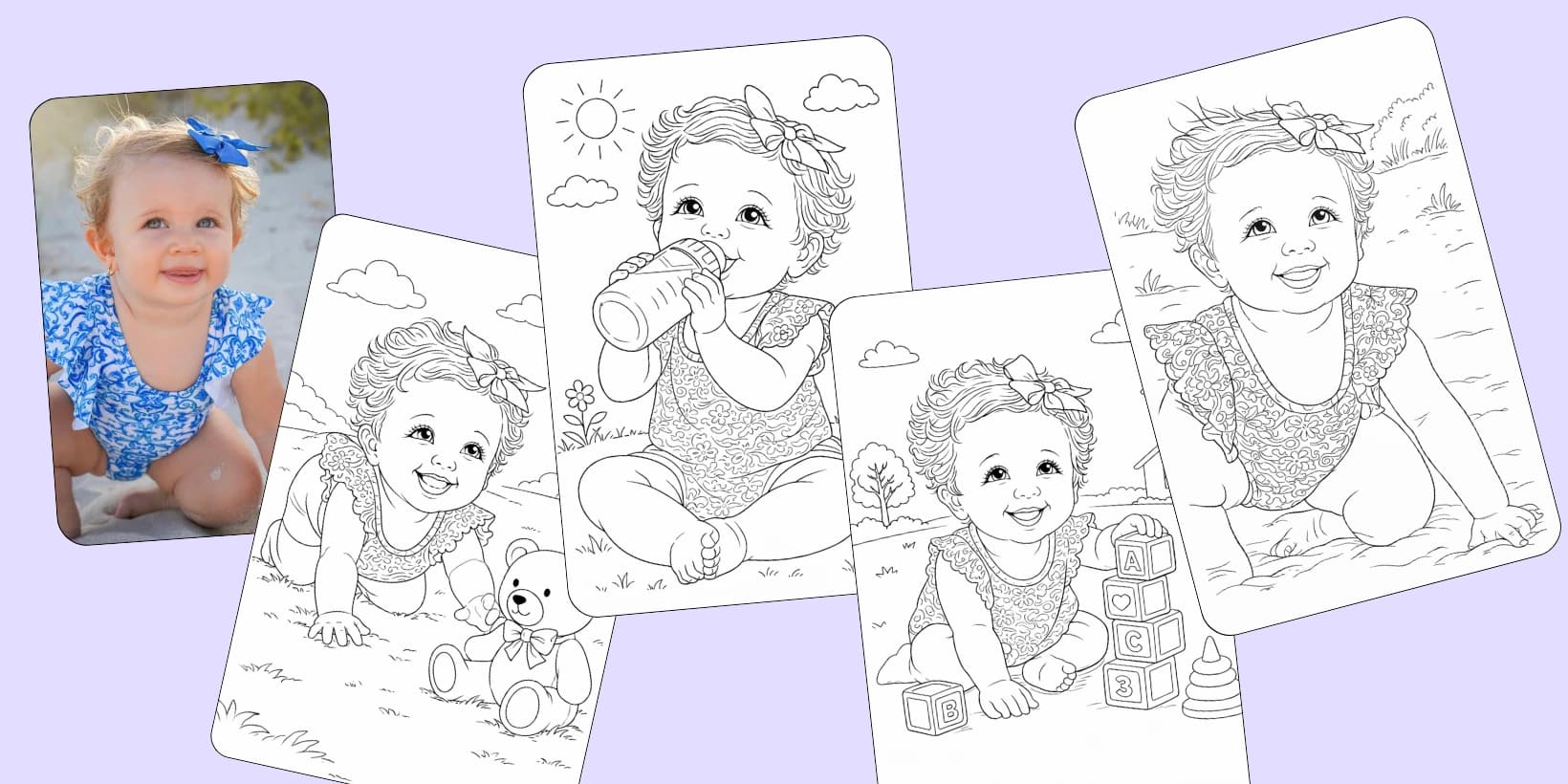
A custom coloring page order on Etsy has three parts: the photo you ask the customer for, the page you convert from it, and a print-ready file delivered in one to three days with a revision included. Converting one portrait in Colorin AI costs 6 credits and takes under a minute.
What Does a Custom Coloring Page Listing Include?
The listings agree on the same points, checked across the Etsy market for photo to coloring page on September 9, 2026. Your customer buys first and sends the photos by Etsy message. You ask for clear, well lit photos. The file goes back as a PDF in one to three days; the faster shops promise 24 to 48 hours.
The price is per pack, from 10 pages up to 60. On September 9, 2026 a pack of 60 was listed between $53 and $71, which is 88 cents to $1.18 a page. Most listings include revisions; put a number on yours, one or two, and say it in the listing. A free cover at 10 pages or more is the usual sweetener.
Three kinds of portrait make up almost every order: one person, a family or a couple, and a pet. Each asks for a different photo, and the photo is where the order is won. A blurred or zoomed in phone shot has no edges to draw, so it goes back to the customer like a dark one.
Which Photo Do You Ask the Customer For?
| The order | What you ask for | Why |
|---|---|---|
| One person | Face on, in daylight or by a window, with the face filling a good part of the frame | The face is what the customer looks at first, and a lit face converts into clean features |
| A family or a couple | One photo of everyone together, plus one of each person | If one face needs a touch up, you have its own photo to work from |
| A pet | The animal filling the frame, eyes sharp, plain background | Fur and eyes are what the owner wants to recognize |
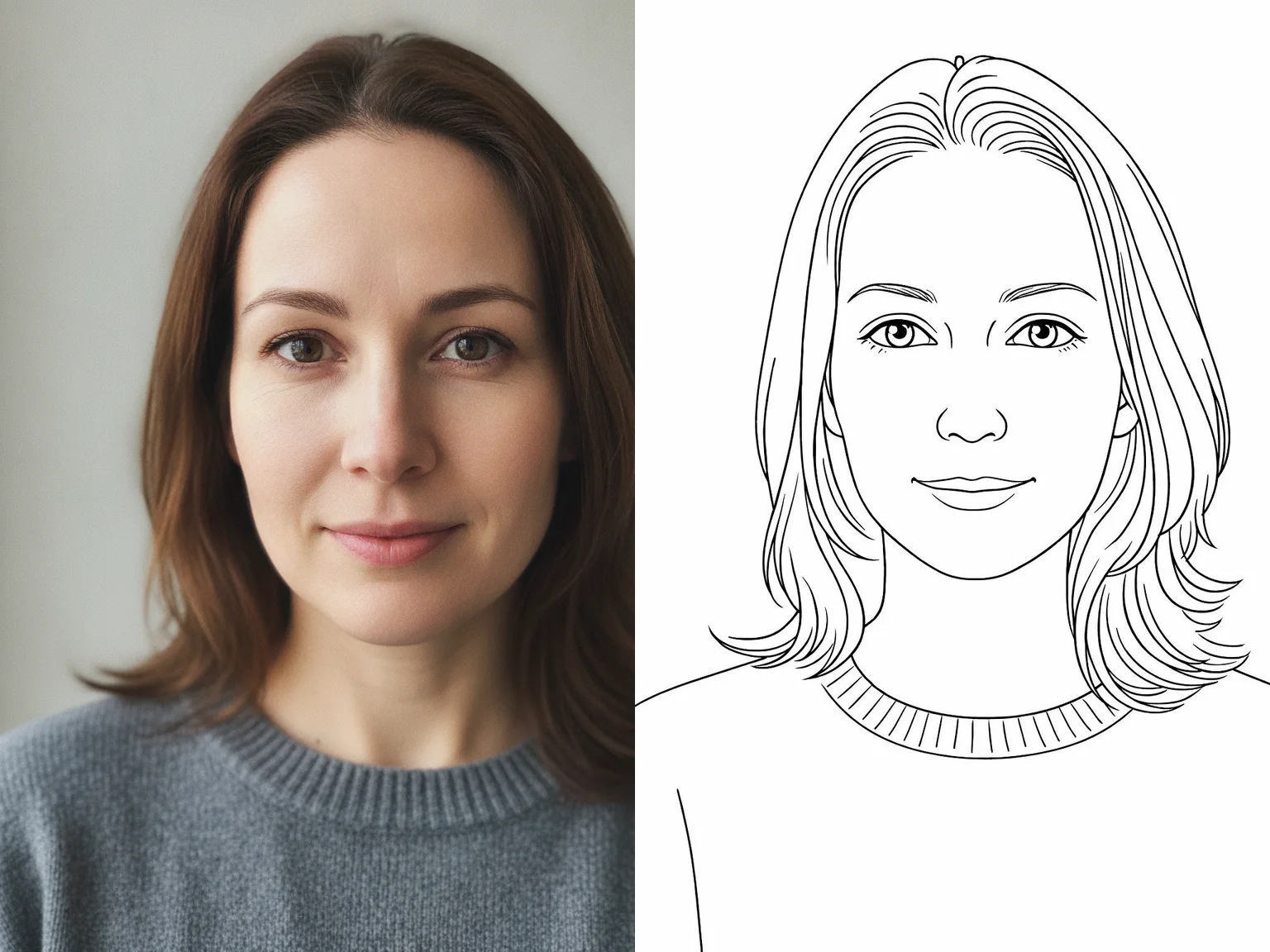
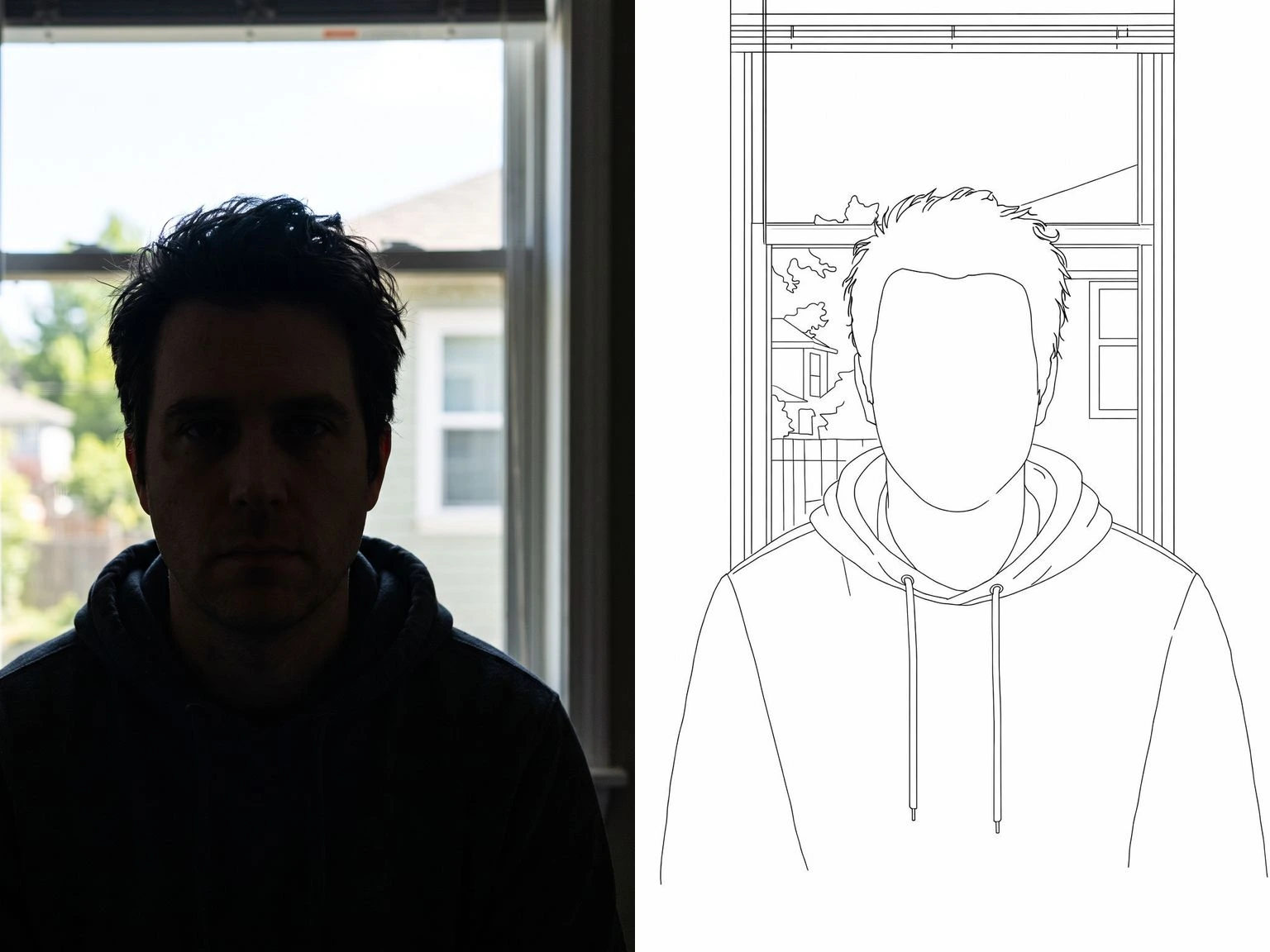
The two examples below, converted on September 9, 2026, show why the photo you ask for decides the order.
The photo you ask for: face on, lit from a window. One pass, 6 credits.
The photo you do not accept: the light was behind him, so the page came back without a face.
What Do You Do Differently for an Order?
Converting the photo is the same four clicks as for your own photos, and the full guide covers it. An order adds five decisions on top:
- Pick the style for the customer. Kawaii or Cartoons for a child, Intricate or Zentangle for an adult who wants an evening on it, Minimalist for a clean portrait. Choose Portrait size, the tall shape.
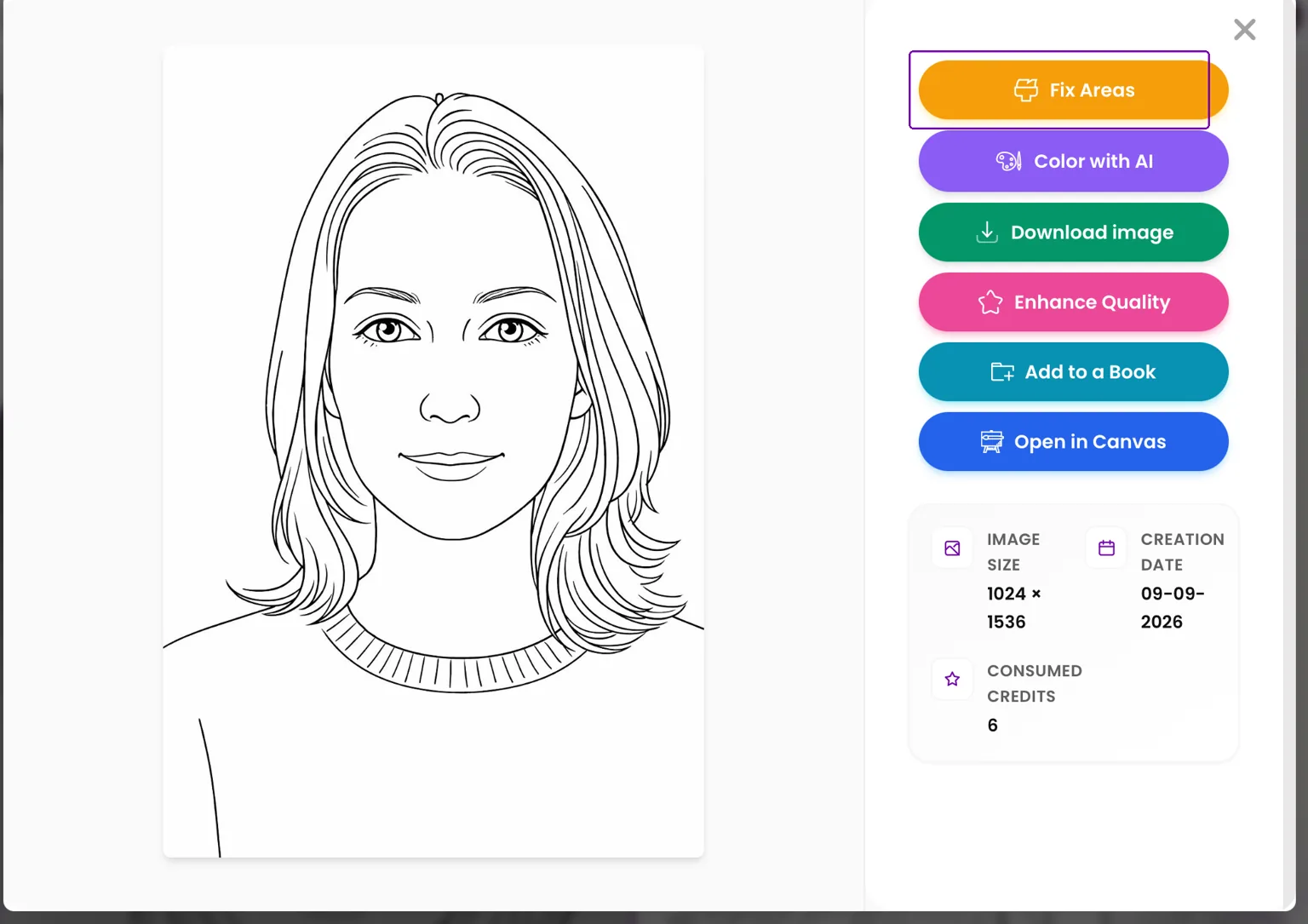
- Touch up one area instead of redoing the page. Open the page, choose Fix Areas, paint over the part to redraw, an ear or a collar, and describe what should be there. It costs 4 credits and keeps everything else as it was.
- Enhance Quality before you deliver. It brings the page up to print resolution and is charged once per image, 3 or 4 credits. With the 6 of the conversion, a print ready page is 9 or 10 credits, plus 4 if you used Fix Areas.
- Download as PDF, or as PNG if your customer asked for it, and send it through Etsy.
- For 10 pages or more, deliver a book. Add the pages to one book with Add to a Book, make the cover in Colorin's own Cover creator, and download one PDF: that is the free cover the bigger listings advertise.
Fix Areas redraws one spot, an ear or a collar, and leaves the rest of the page as it was.
What Do You Deliver, and in How Many Days?
A PDF or a PNG, delivered as a digital file through Etsy, in one to three days. That is what the market promises and it is easy to keep. A conversion takes under a minute, and the rest is your customer sending a photo and approving the page. Say in your listing how many revisions are included.
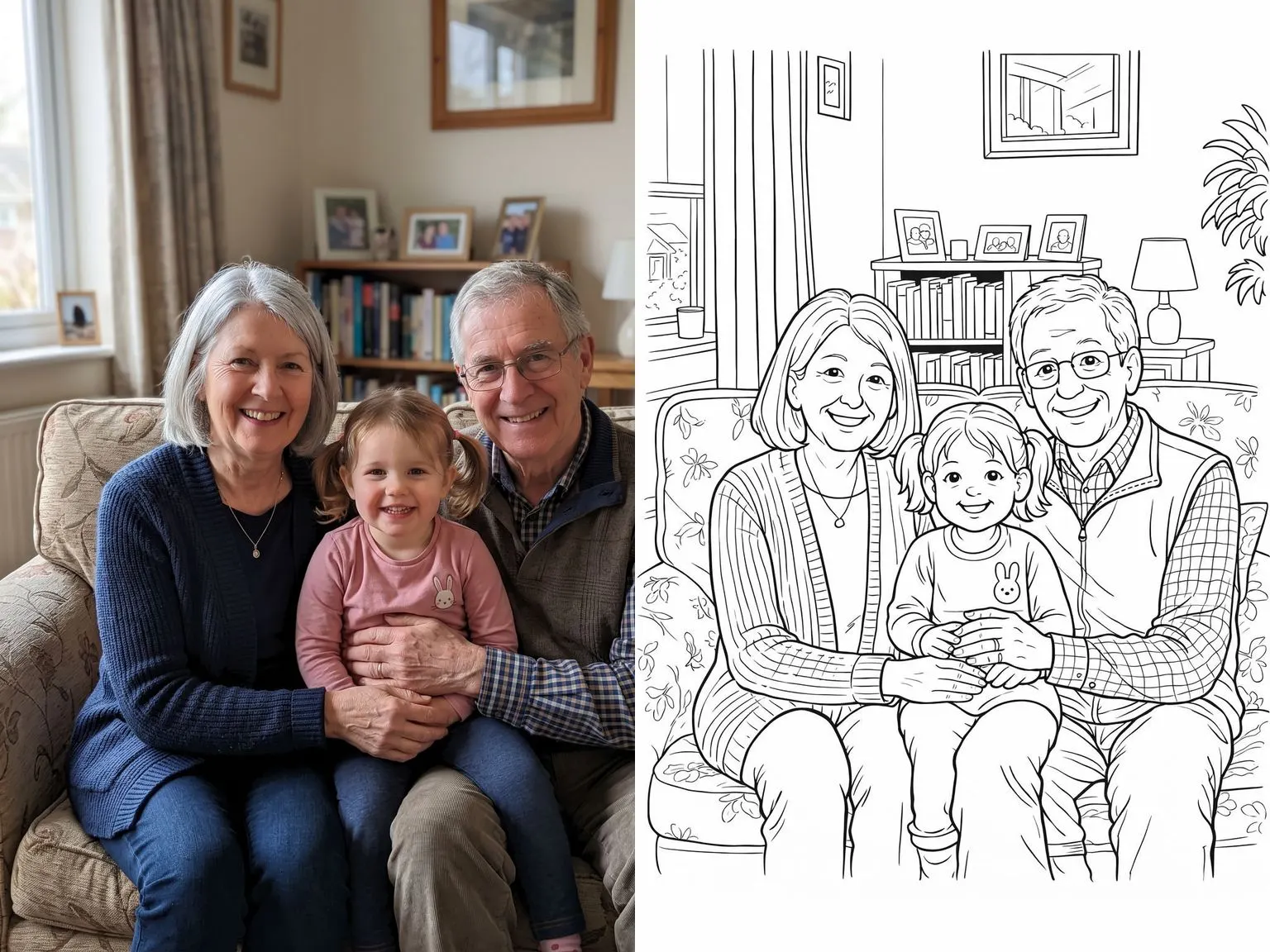
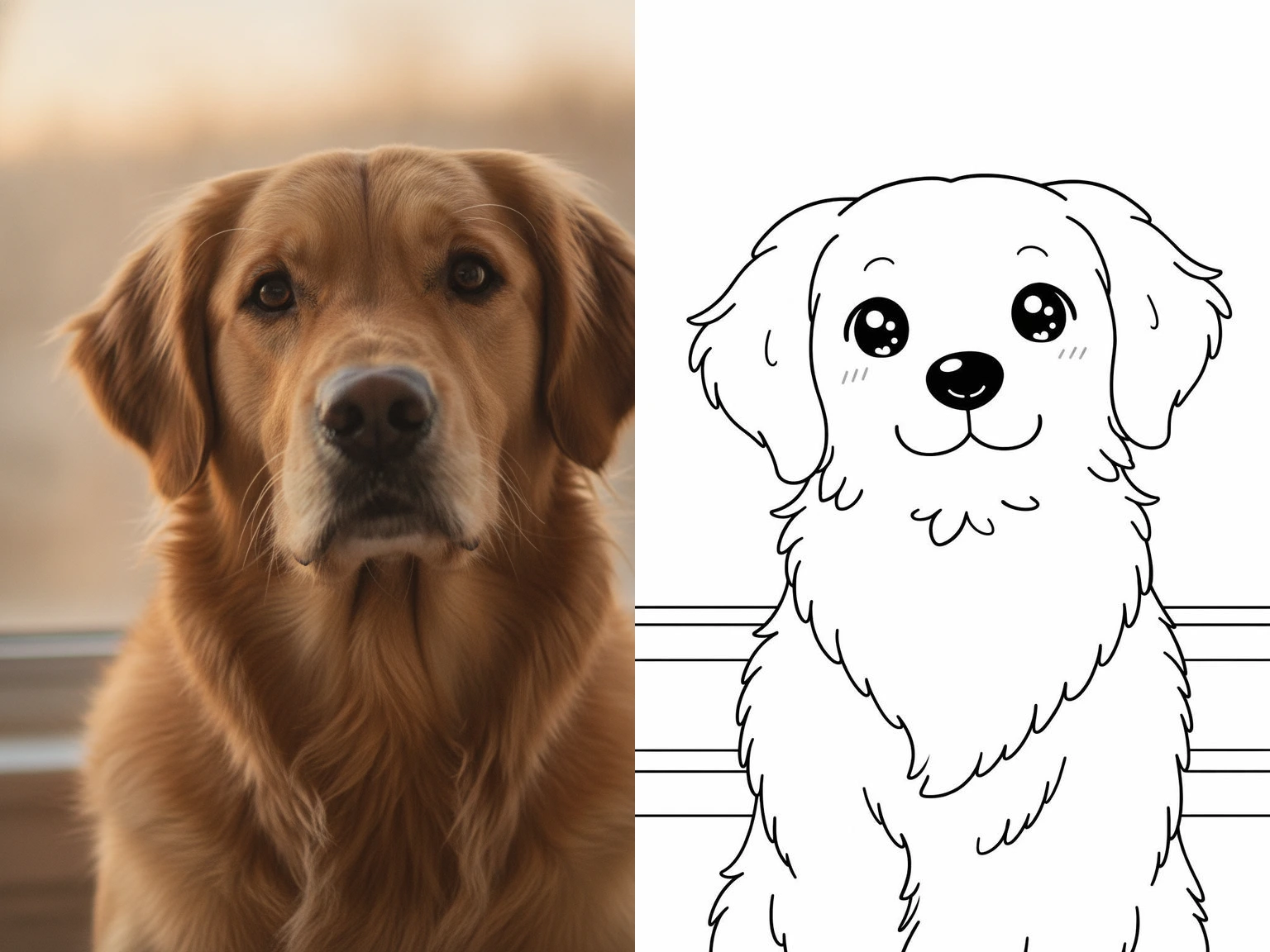
The two pages below show what your customer receives. The grandparents with their granddaughter came back in Cartoons as one page with all three faces and the living room behind them. The golden retriever came back in Kawaii with the fur and the eyes the owner would recognize. The background converts along with the people. If a customer wants only the family, ask for a photo taken against a plain wall.
Cartoons style: the whole family in one page, living room included.
Kawaii style, the one that suits a child’s page.
Can You Sell Pages Made From a Customer's Photo?
Yes. The commercial license is yours, with no royalty share and no attribution. The photo belongs to your customer, and the order is a page of their own family or pet. What Etsy asks of a shop selling work made with AI, and what to say in the listing, is in whether you can sell AI generated coloring pages.
What makes a photo convert cleanly, from the light to the background to the size of the subject in the frame, is the full guide on how to turn a photo into a coloring page. Put its checklist in your listing.
Make your first order page from a customer's photo, 6 credits
Frequently Asked Questions
What if the customer wants the page in color as well?
Open the converted page and choose Color with AI. Colorin colors the whole page in one click for 6 credits, and you deliver the line version and the colored one as two files. It is the add on some listings sell as a colored preview.
Do the pages of different orders get mixed up?
No. Each conversion lands in your gallery on its own, so several orders can sit there side by side. An order only becomes a book when it reaches 10 pages, and that is the point where you group its pages together with Add to a Book.
What do I do when the customer sends a dark photo?
Ask for another one, with the table above. A photo taken by a window converts with its features. A dark, blurred or zoomed in photo converts without them, and no touch up puts back what the camera did not record. Sending the table with the order confirmation is the cheapest revision you will ever save.
Prices and turnaround checked on September 9, 2026 across Etsy listings for photo to coloring page. They change; check before you set yours.
Colorin AI is an AI coloring page and coloring book generator built for creators who sell on Amazon KDP and Etsy, with generation from a written prompt or from a photo, character lock for consistency across pages, and print-ready export sized for KDP. Written by Kisbel Blanco.